Bring the restaurant data together.
Menus, locations, guests, costs, vendors, reservations, and connected systems live in one organized restaurant layer.
Keep your POS. Keep your website. COSMIC gives the work around them one organized place to live.
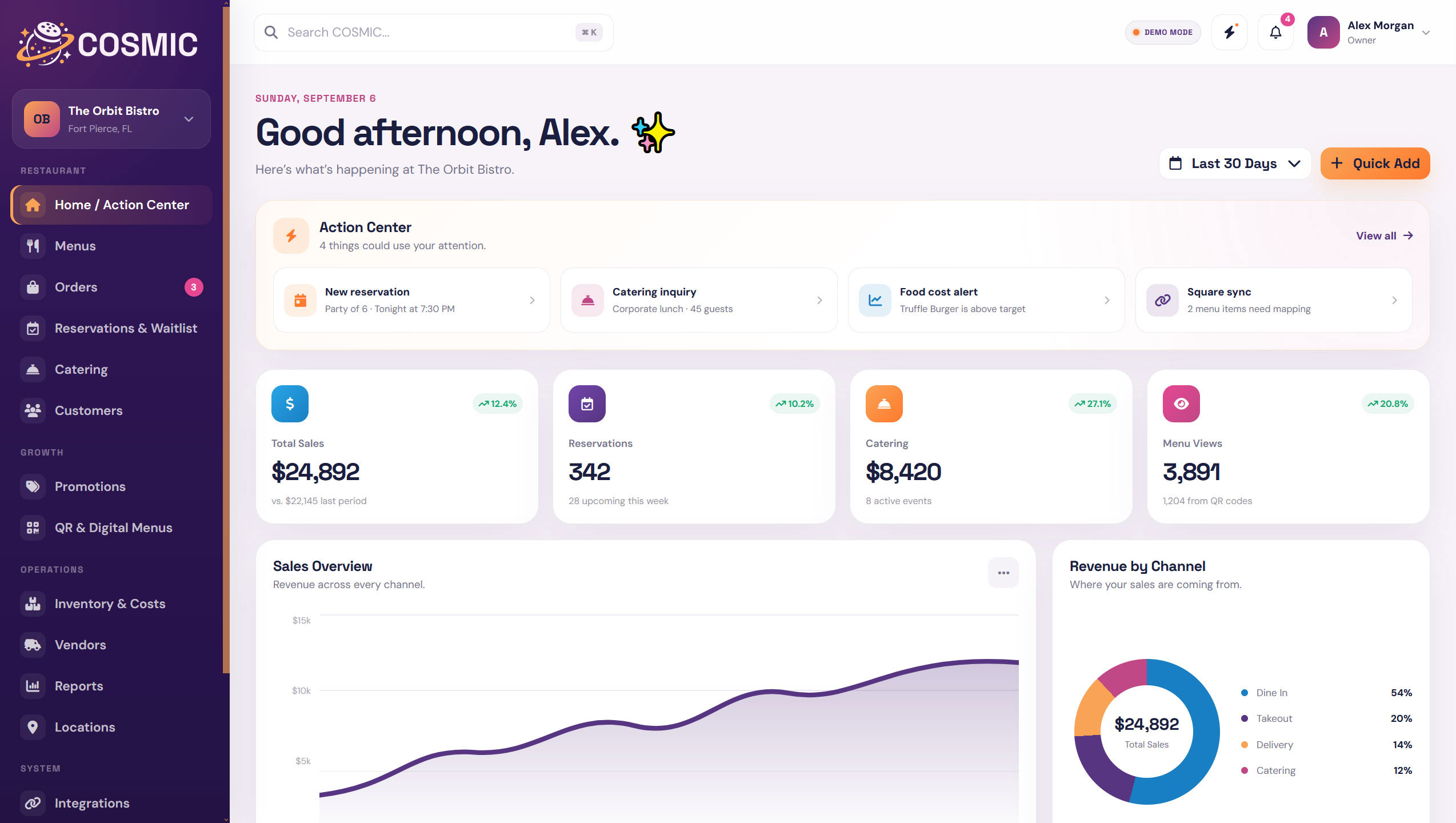
COSMIC is not another tool asking to become your entire restaurant. It is the place that keeps the information and workflows around your existing tools connected.
Menus, locations, guests, costs, vendors, reservations, and connected systems live in one organized restaurant layer.
Keep your POS, website, and other tools. COSMIC connects the information around them instead of forcing you to start over.
Update the source, then let connected menus, websites, QR experiences, locations, and workflows stay aligned.
Hours, menu details, locations, promotions, featured items, and other shared restaurant information should not need to be updated in five different places.
COSMIC keeps the restaurant data organized, then lets connected experiences use the right version of it.

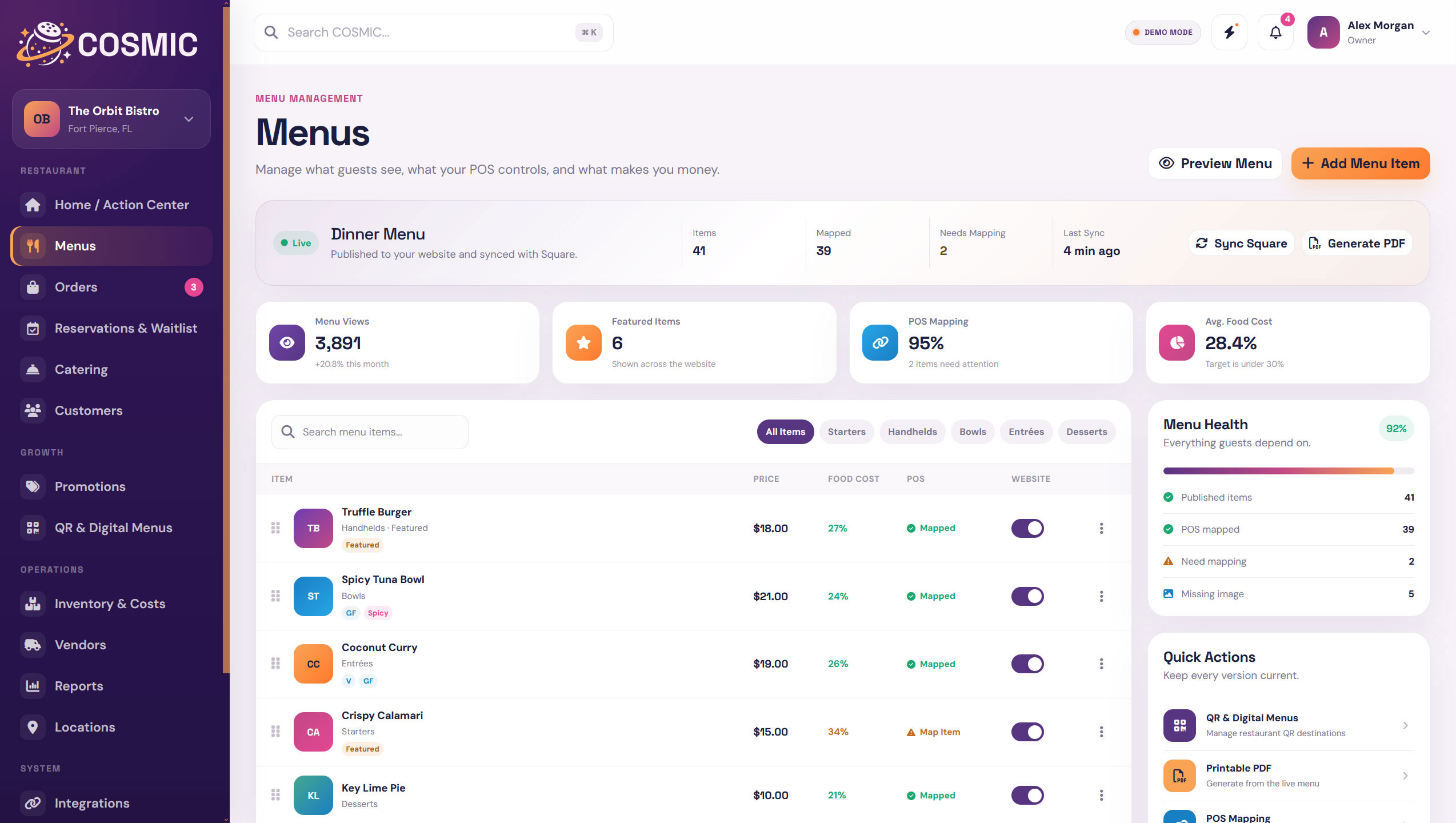
COSMIC keeps the menu at the center. Update items, pricing, categories, featured dishes, dietary tags, and POS mapping without maintaining a different version for every channel.
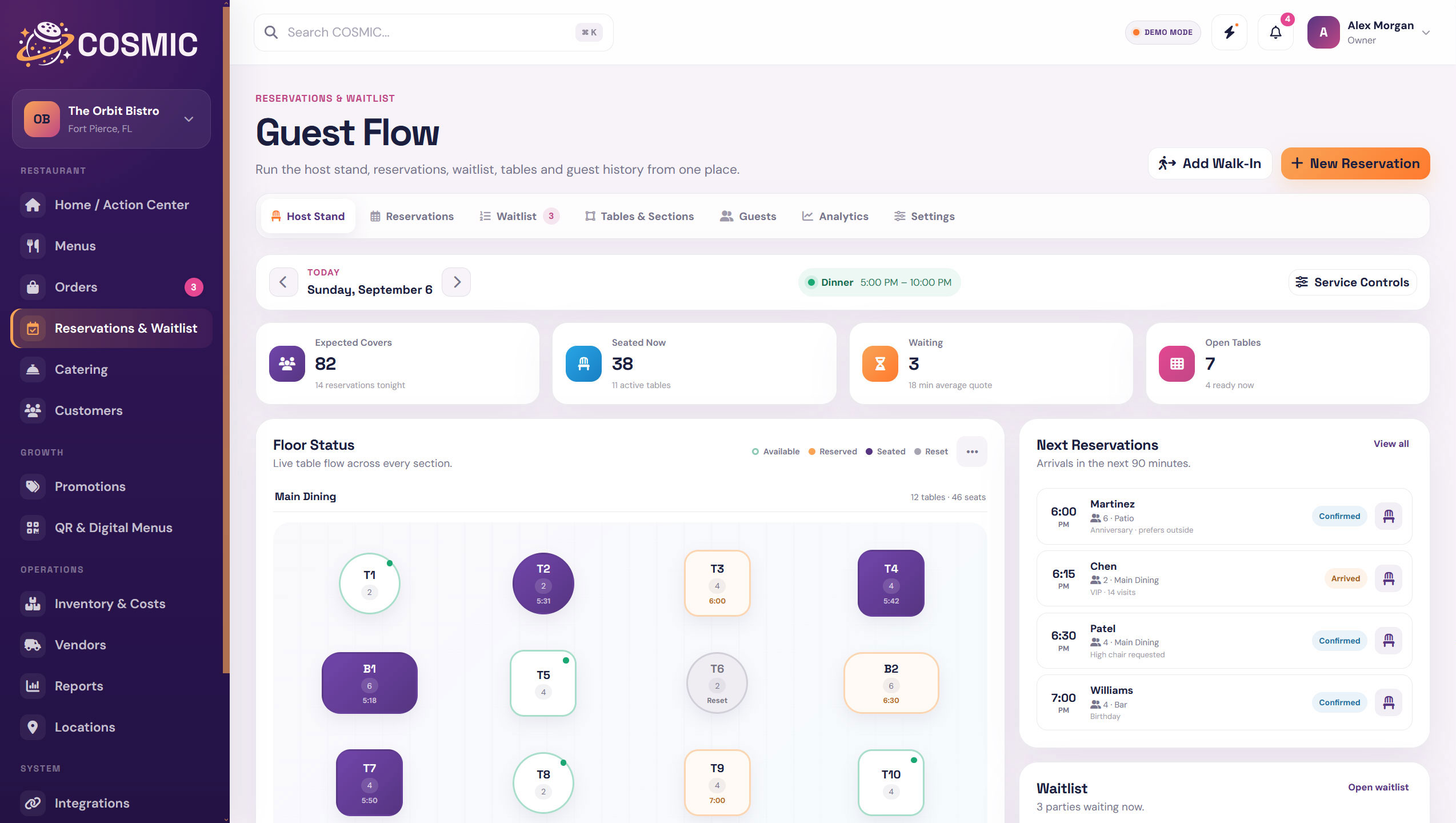
Reservations, waitlist activity, orders, catering work, and customer details stay close enough that your team can move through the day without bouncing between disconnected systems.
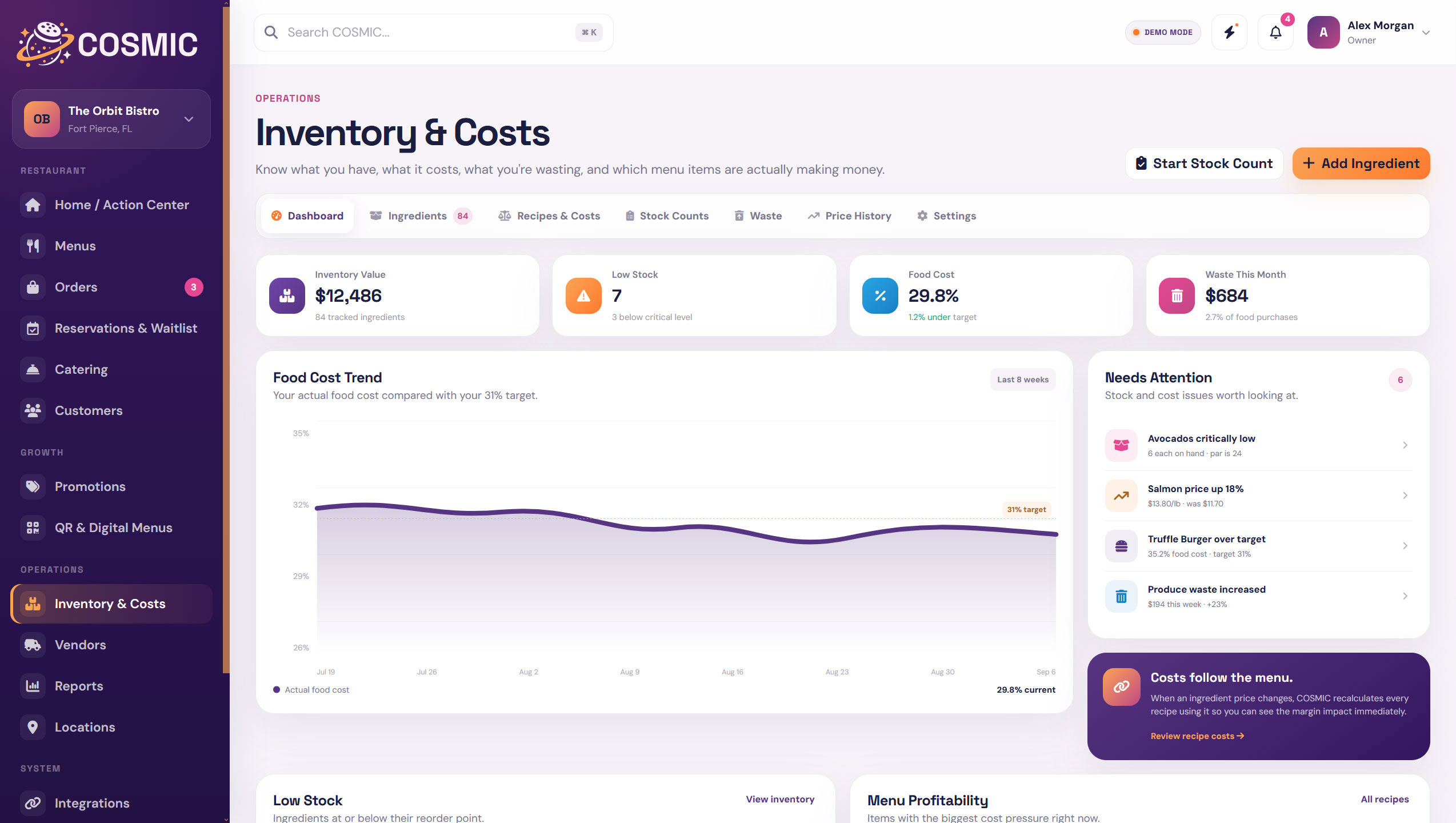
Ingredients, recipes, vendor pricing, waste, stock counts, and reporting give you a clearer view of what is costing money and where the restaurant is performing well.
COSMIC sits around the systems that already run your restaurant and gives the surrounding work a better home.
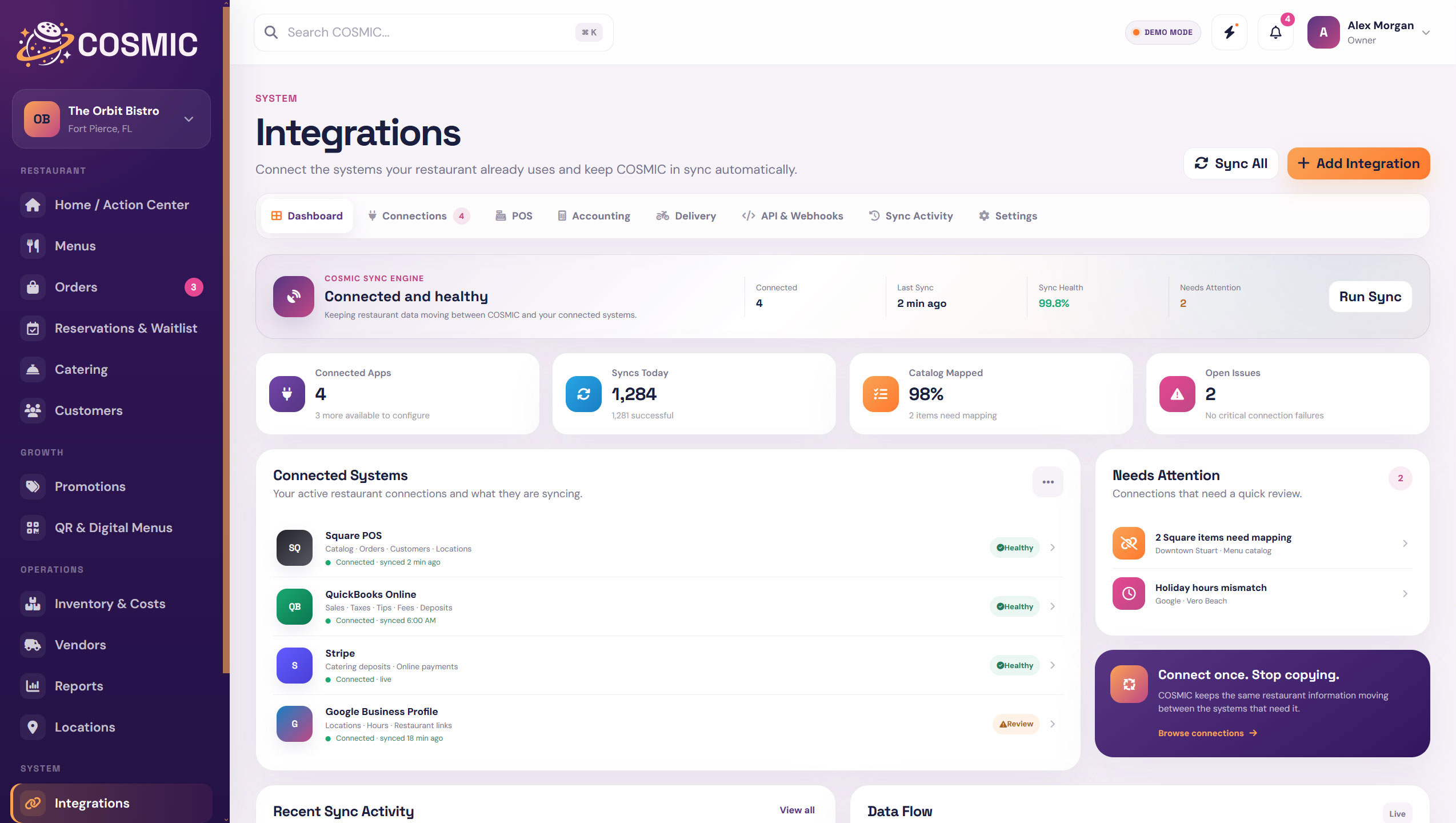
Role based access keeps the product useful without turning every screen into everyone's responsibility.
A cleaner view across locations, costs, performance, customers, and connected systems.
The operational tools needed to keep service, menus, staff access, and daily work organized.
Reservations, waitlist, guest details, and service information without the back office clutter.
Menu details, recipe costs, inventory, vendors, and waste information in one place.
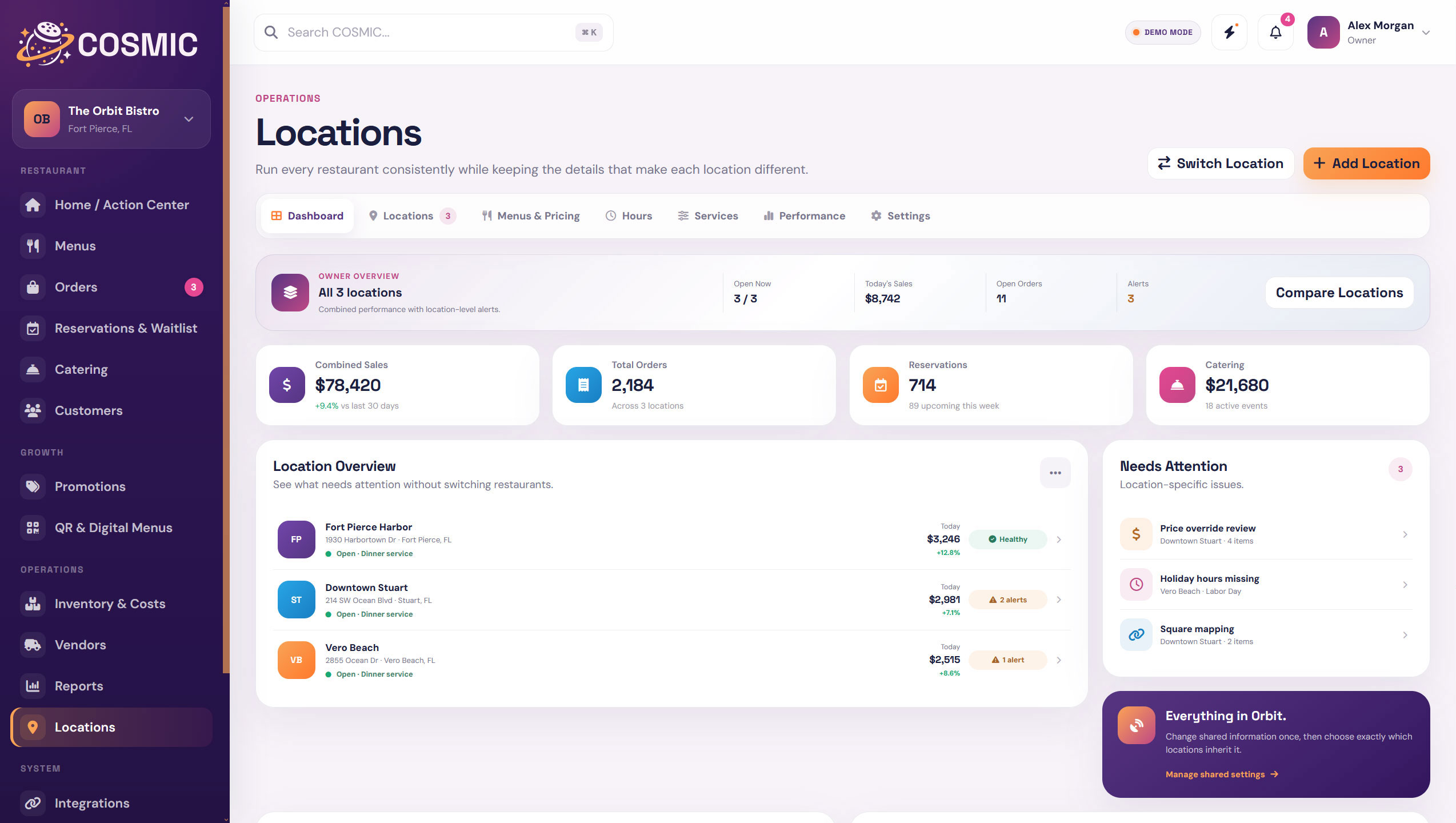
Share what should be shared. Keep local pricing, hours, services, menus, reservations, reporting, and QR experiences specific when they need to be.
See Location Tools Everything in Orbit.
Bring the work around your POS, website, guests, menu, costs, and locations into one connected restaurant system.